
Every Waseet module in detail
From the first quote to the claim payout — every module is built for how brokerage works in Egypt.
Team & roles
Create a workspace for your brokerage and invite your team. Each member's role decides what they see and can change.
- Email invitations with secure links.
- Five ready roles: owner, manager, accountant, agent, claims.
- An audit log of every create, update and delete.
Insurers
A directory of the insurers you work with, with lines, default commission rates and agency code.
- A default commission rate per line, applied automatically to policies.
- Contacts and contract details in one place.
- See every policy and claim for an insurer from its page.
Clients & documents
One file per client — individual or company — with all their policies, quotes, claims and documents.
- National ID or tax ID and commercial registration.
- Egyptian phone numbers in one format, with a WhatsApp flag.
- Drag-and-drop document uploads (IDs, licenses, contracts).
Policies
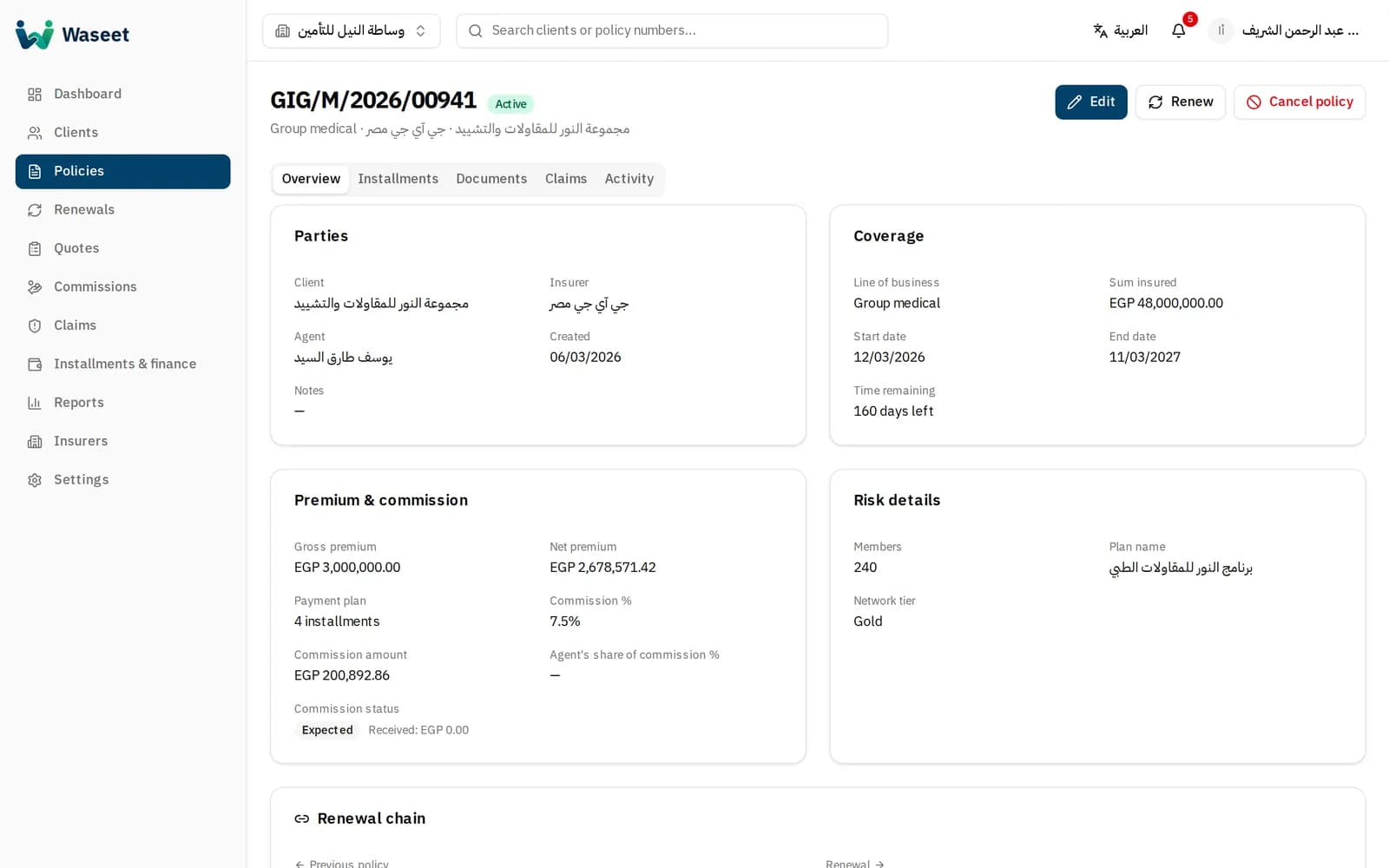
Record a policy with every detail: line, sum insured, gross and net premium, risk details and payment plan.
- Commission calculated automatically from the insurer's rate.
- Clear statuses: draft, active, expired, cancelled, renewed.
- Dedicated risk details for motor, property and group medical.
Installments & collection
Installment schedules generated from the payment plan, with daily collection and overdue tracking.
- Split into 2, 3, 4, 6 or 12 installments.
- Record full and partial payments.
- Alerts for due and overdue installments.
Renewals
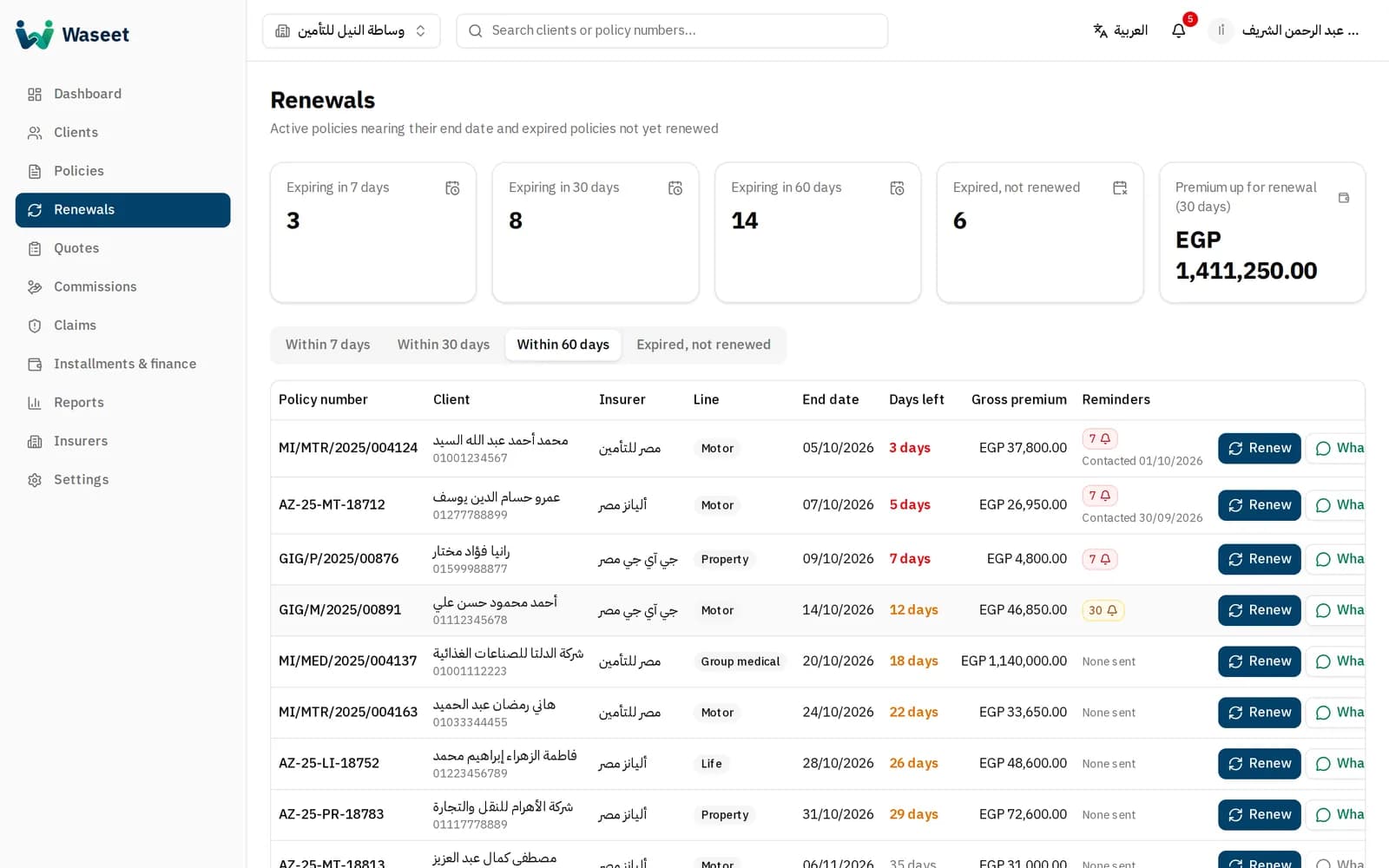
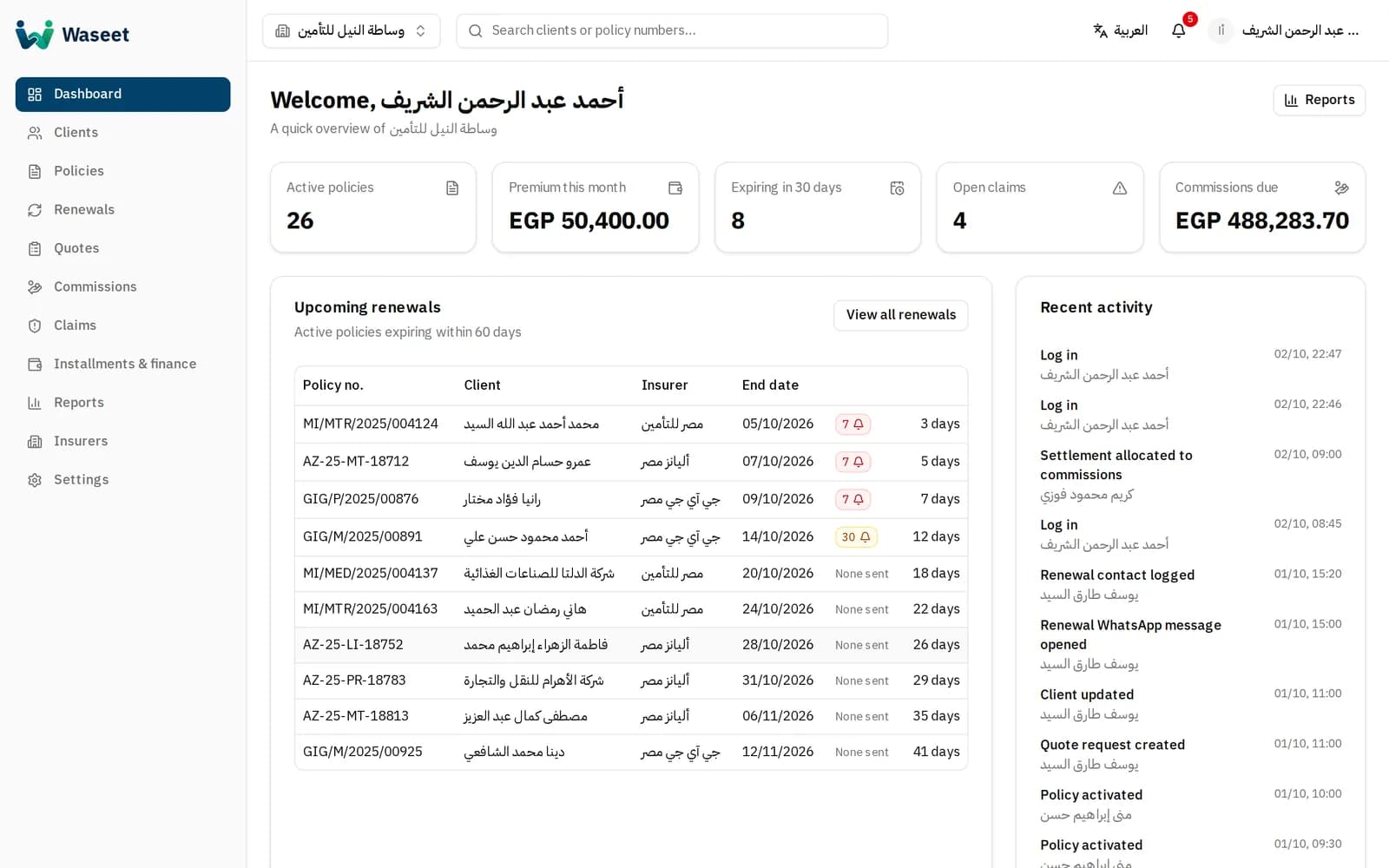
A daily list of policies nearing their end date, and automatic reminders that never repeat.
- 7, 30 and 60-day tabs plus expired-not-renewed.
- Email and WhatsApp messages from editable Arabic templates.
- Renew a policy in one click while keeping the chain.
Quotes
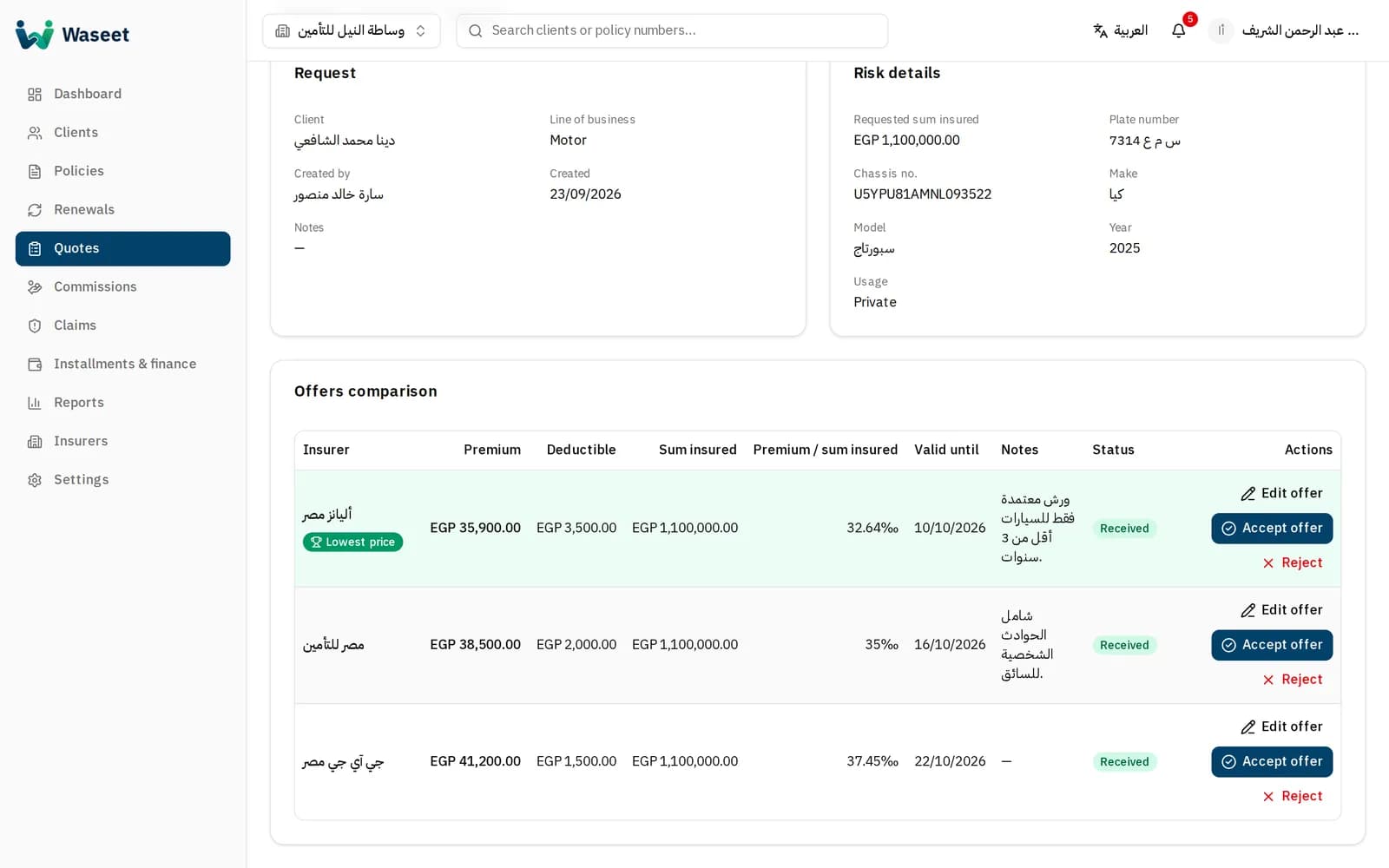
One quote request to several insurers, then record and compare the offers you receive.
- Per-line risk details and the requested sum insured.
- A comparison table that highlights the lowest premium.
- Accepting an offer turns it into a draft policy.
Commissions
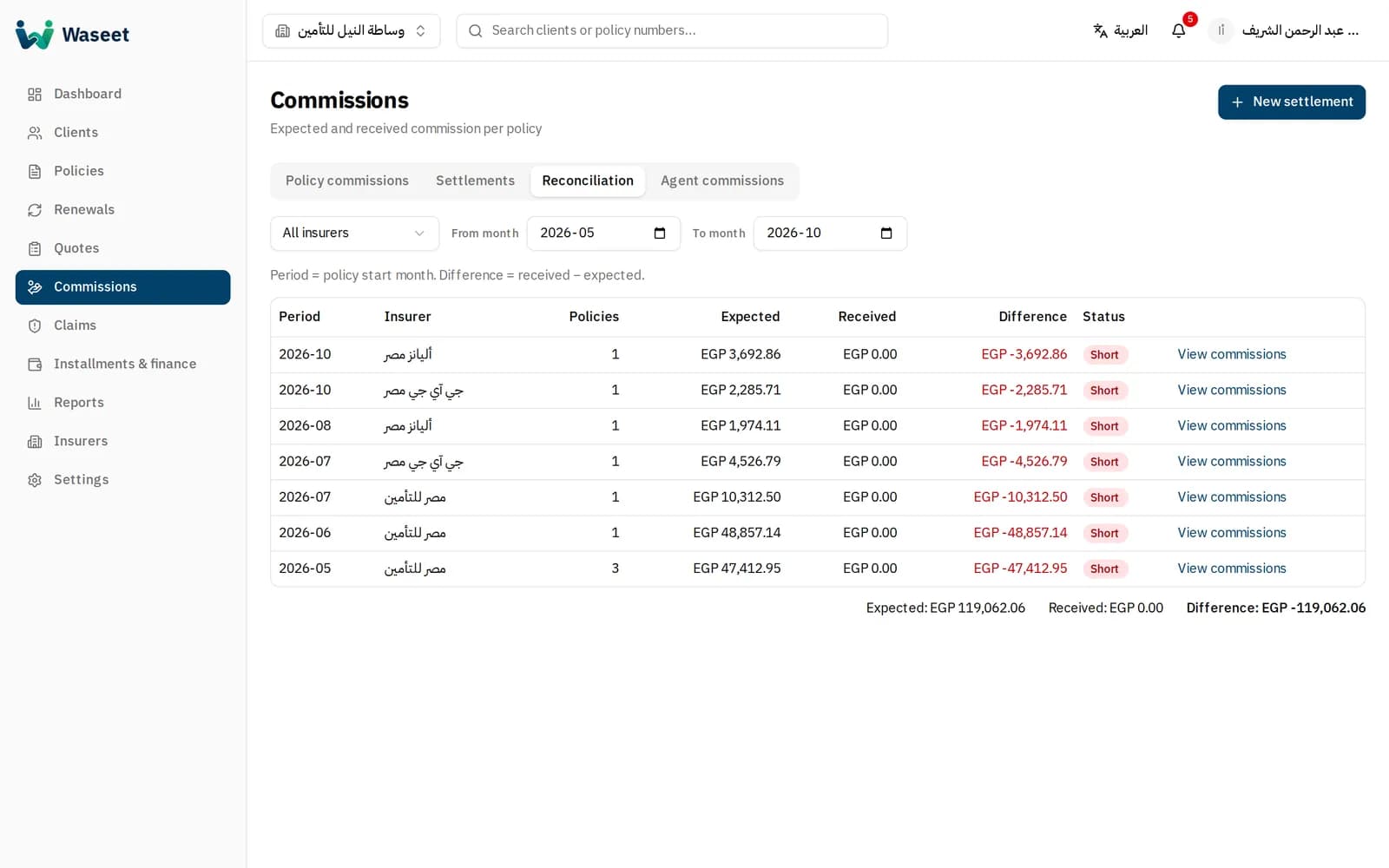
Track expected and received commission per policy, and reconcile against insurer statements.
- Monthly settlements per insurer with automatic allocation to policies.
- A reconciliation report showing short and over payments.
- Commission statements for agents.
Claims
Follow every claim from first notice to payout, with a clear status path and event log.
- Automatic yearly claim numbering.
- Estimated, approved and paid amounts.
- Notes and documents attached to each claim.
Reports
Management-ready reports: production, renewals, commissions, claims and collections.
- Filter by period, insurer, line and agent.
- CSV export that opens in Excel with Arabic intact.
- A dashboard with the key numbers every morning.
Settings & templates
Make Waseet yours: company details, logo, enabled lines and message templates.
- Your FRA license number and company logo.
- Enable only the lines of business you work on.
- Arabic email and WhatsApp templates with automatic placeholders.