
- Expected commission: created when a policy is activated = net premium × commission %.
- Settlement: an amount an insurer transferred for a month (their commission statement).
- Allocation: linking the settlement money to the policies it pays. “Auto-allocate” starts with the oldest.
- Reconciliation: expected vs received per insurer and month — balanced, short or over.
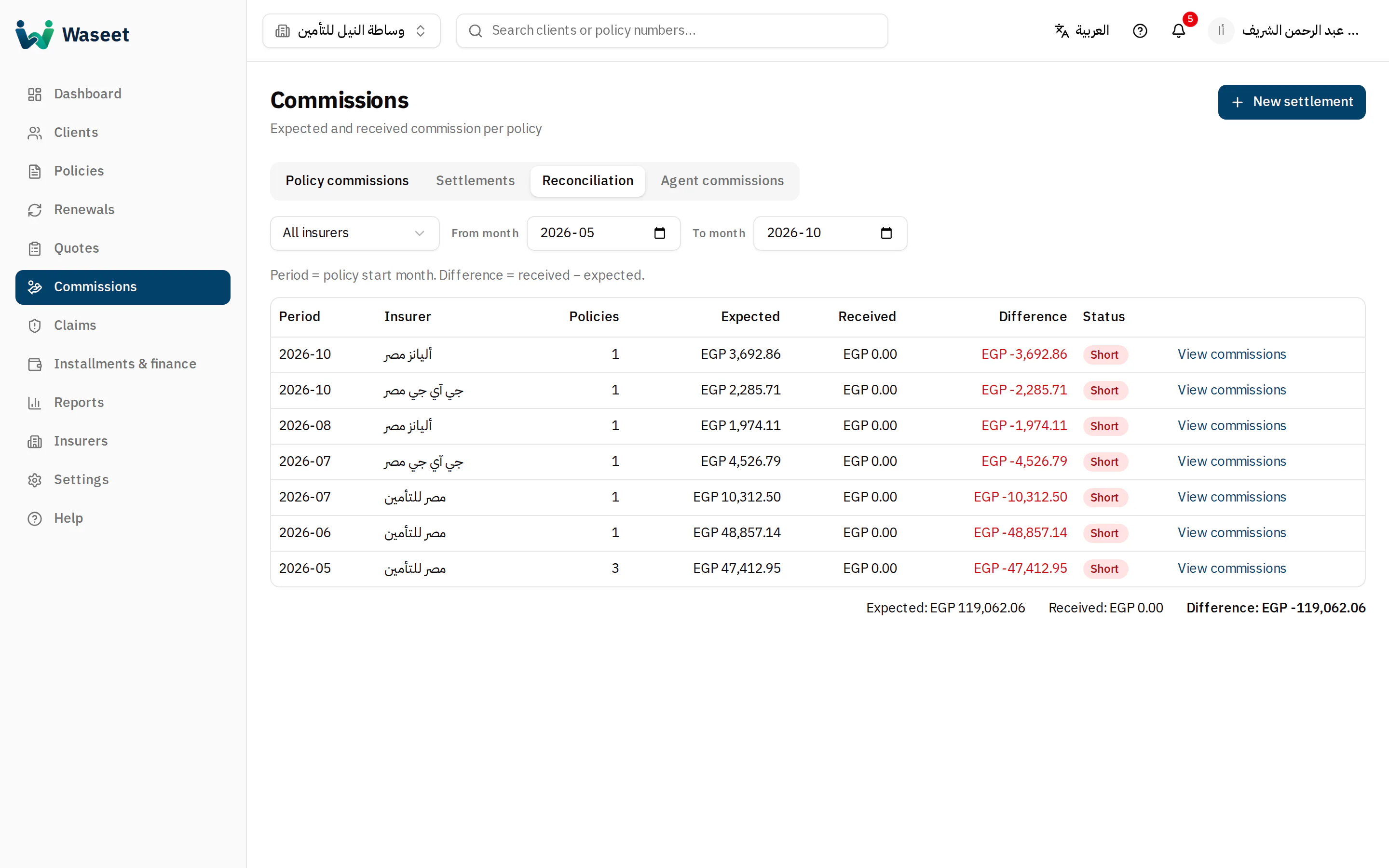
- 1Records / settlements / reconciliation / agents
- 2Reconciliation status
- 3Totals & difference
- 1In “Settlements” click “New settlement”: insurer, month, amount and date received.
- 2Open it and allocate the money manually or automatically to commissions.
- 3Check “Reconciliation” to see what the insurer still owes.
One settlement per insurer per month. A settlement can't be edited or deleted once money is allocated — un-allocate first.