
Every day the job checks active policies that are not renewed yet. When a policy enters a reminder window, the agent, owners and managers are notified and the client gets an email if they have one. Each reminder is sent once.
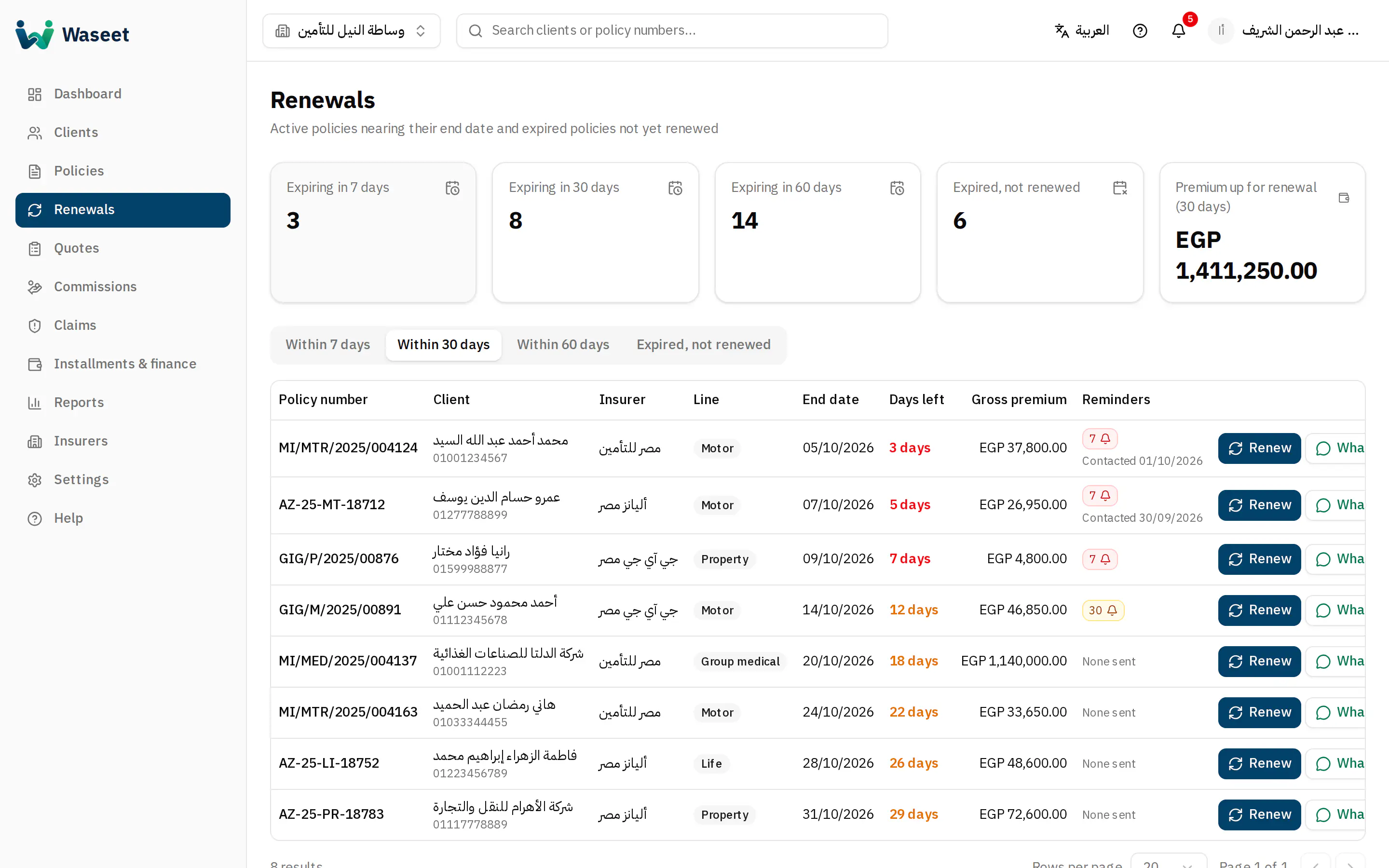
- 1Window summary
- 27 / 30 / 60 days / expired
- 3Ready WhatsApp message
WhatsApp message
- 1Click the WhatsApp button next to the policy: WhatsApp opens with a ready Arabic message to the client's WhatsApp number.
- 2Check the text and press send in WhatsApp. The contact is logged on the policy.
- 3Once agreed, click “Renew” to create a linked draft, then enter the new number and activate it.
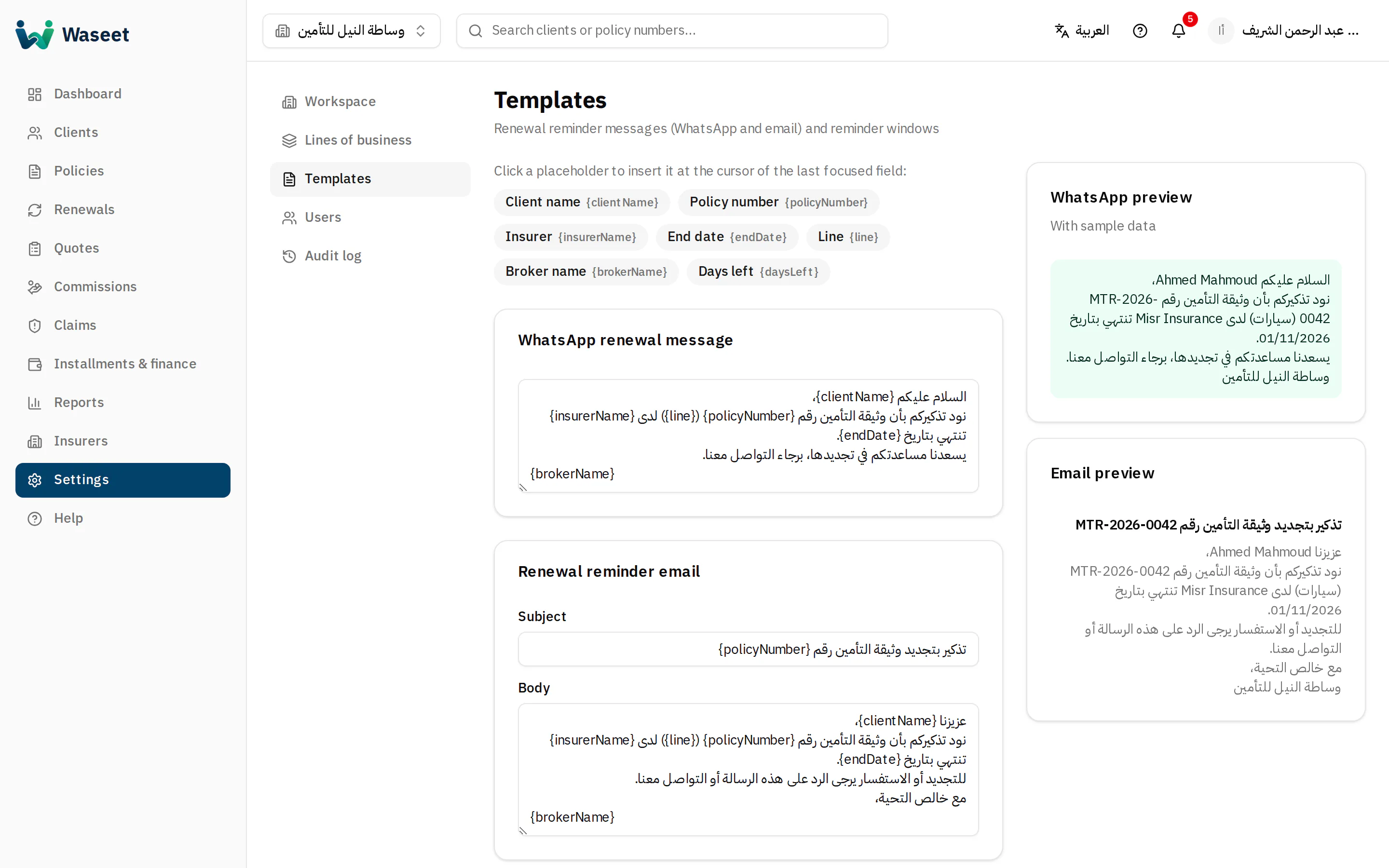
- 1Placeholders
- 2WhatsApp text
- 3Live preview
Edit the texts in Settings → Templates. Placeholders such as {clientName}, {policyNumber} and {endDate} are filled in automatically.
The daily job only uses the 60, 30 and 7 day windows; extra windows are stored but not sent yet.