
- 1Create the request: client, line, risk details (e.g. the vehicle) and requested sum insured, and pick the insurers.
- 2Mark it “Sent” once you have sent it to the insurers (outside the system).
- 3Record each offer: premium, deductible, sum insured and validity, and attach the offer file.
- 4Compare offers (the cheapest is highlighted) and click “Accept” to create a draft policy automatically.
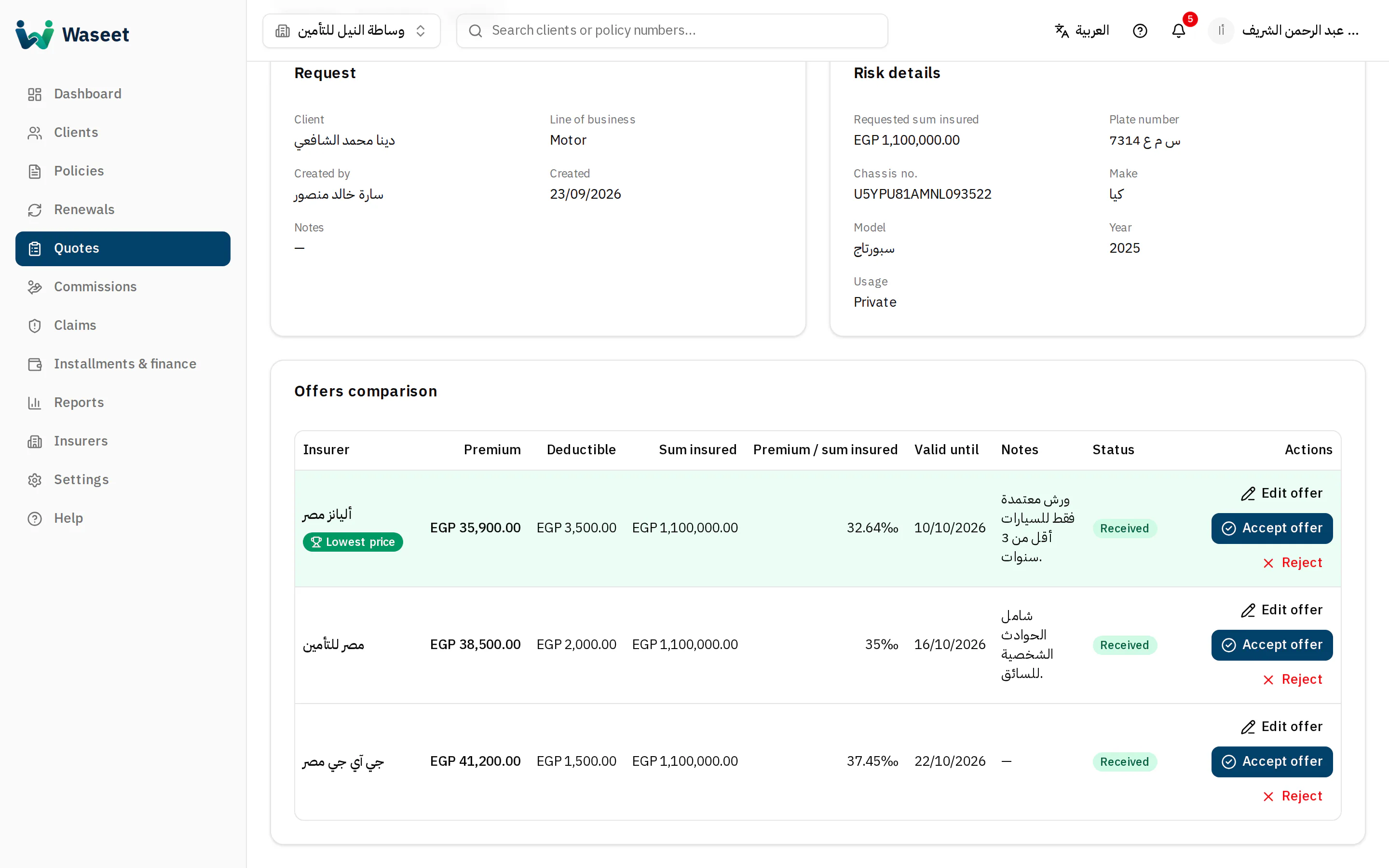
- 1Comparison table
- 2Lowest price
- 3Accept offer
Deductible: the amount the client bears on each claim before the insurer pays. A higher deductible usually means a lower premium.